


How to Delete any Facebook profile in 24 hours | Full tutorial

This is my creation about the facebook security, so how it works what we need and how to do this ? Let me explain you in detail. If you want any help or suggestion then you can submit it in comments thanks for reading this tutorial of Daily Facebook Fun.
So, lets do it in some steps.
Step 1 :
https://www.facebook.com/help/contact.php?show_form=memorialize_special_requests
Click Here first
This is the Url we will use to Report our slave. This Form allows you to report a deceased person (someone who is dead).
Step 2 :
Complete the Fields:
Explain: Full Name: Your Victims Full name(Name last name)
Date of birth: Go at his profile and click at Info tab and get his date of birth.
Account Email Addresses: Do the same thing, go to his profile and click on info tab and get his email addresses.
Networks: Again,go to his profile and click on Info tab and get his networks, copy them and paste in the form.
Web address of profile you would like to report: Just go to his profile and copy the link in the address bar.
Relationship to this person: To make more believable select Immediate Family.
Requested Action: Remove Profile Proof Of Death: This is the hardest part of this form.
Now to make a proof of a death just Google in your language a "Death Certificate" or "Certificate of a Death". Save your image to desktop and upload it in one of the Image Free Hosting like: http://imageshack.us
And it's done.
Now,
Additional Information: Write what you want, just write that you are in his/her family and you would like to close his/her Facebook account because you won't like that when he is dead, his Facebook is opened.
Attachment includes the note and its objects.
Finally Submit and wait for 24 hours. Please don't misuse my creation. Its only a service of facebook.
Thanks for a visitor of my creations.
If you want updates of our site than you can subscribe yourself through email. Just take a look on Right top of my site.


Free Criminal Case Hacks and Cheats

Criminal Case a really another popular application on facebook after Farmville and Poker. It is a simple flash application, and off course the cracking of application is possible now. Mostly websites selling their Criminal Case Hacks in $$$ but we are providing the cheats and hacks full versions and updated free of cost.
Now what actually this Hack is ? And what are the features of it.
This hack is the .Net 4.0 based application. Which is directly connected to the server of Criminal Case. Simply you can bypass your details and can get full access on the server installed application (Criminal Case Game). Like you can add unlimited coins, unlimited cash, unlimited energy, you can stop the time in time based levels, you can beat anyone's score by this easily.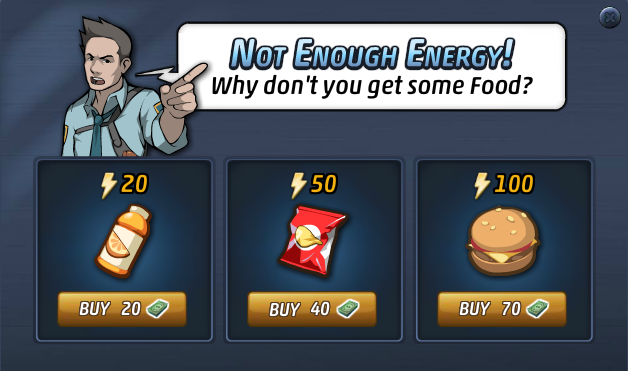
Features in details
- Add Unlimited Coins
- Add Unlimited Cash
- Buy any product by this cash.
- Or Add Unlimited Energy.
- Jump to any level in map.
- Pause time in time based levels.
You can download this application free of cost from our website. And the program will update automatically free of cost.
Halloween Photo Contest 2012

Your fun, cute or scary Halloween photos could win you a trip to Hersheypark in the Dark 2013, a New York Institute of Photography course on the Fundamentals of Digital Photography, a FUJIFILM FinePix HS25EXR Camera, a large Wall Canvas from the Rite Aid Picture Center, a Pinnacle collage frame, or Rite Aid gifts cards worth as much as $250. There are LOTS of prizes! See Contest & Prizes for a complete list of prizes.
Grand Prizes
The winning photographer will win a spooktacular trip for 4 to Hershey, PA to experience all of the frightfully fun rides and attractions at Hersheypark in the Dark. Enjoy 11 thrilling roller coasters, over 20 rides just for kids, award winning entertainment, and of course, lots of delicious chocolate. The grand prize includes:
• Round–trip coach airfare from the nearest airport to Harrisburg International Airport in Harrisburg, PA
• Round trip transportation from HIA to The Hershey Lodge
• 2 nights accommodations at The Hershey Lodge
• 4 two-day passes to Hersheypark in the Dark
• 4 passes to Create Your Own Candy Bar at Hershey's Chocolate World
• 4 passes to The Hershey Trolley Works Tour
• $300 in Chocolate Currency, to be used as cash at most Hershey Entertainment properties
• 1 FUJIFILM FinePix HS25EXR Camera
• 1 Rite-Aid photo book
About the Judges

This year's contest will be judged by the editors of the magazine.
ENTER IN CONTEST
How to protect your facebook account 2012 updated 6 ways

Facebook is the greatest Social Network on the world and millions of people subscriber and many more join Facebook everyday. While this is a good place to share and make friends, Facebook becomes a center of attraction for hackers.
Everyday, you can see on the news may reports on hacked Facebook accounts and this activity cannot be stopped easily. One of your top priority is now protect your Facebook account from hackers, especially if you are an active user on Facebook network. We will be sharing with you "Best 6 Ways To Protect Your Facebook Account from Hackers".
Let see them now!
Follow the steps below to prepare the protection
There is the list of 6 steps you must do to prepare the protection for your Facebook account.
- Secure Browsing
- Password Change
- Login Notifications
- Login Approvals
- Recognized Devices
- Active Sessions
Now, start protecting your account:
We will begin with the first step:
1. Secure Browsing
This feature when enabled on your account helps to secure your connections on Facebook by encrypting your communications. The screen-shot is like the one below:

To use secure connections on Facebook, click on "Account Settings", and then click on "Account Security". Tick on "Browse Facebook on a secure connection (https) whenever possible". Finally click "Save Changes"
2. Password Changing:
Passwords are very sensitive letters or numbers that acts like a key to our private belongings. Just as being careful with your house key, you need to be careful each time you are dealing with passwords. A better way to make your password count is by choosing long letters and combining it with numbers. Do not use your name as your password, remember your name is visible for public view, so is possible for hackers to guess your password with your name.
To change your password, click on "Account Settings" under the drop-down arrow close the "Home" by the top right side of your Facebook wall. Click on "General Account Settings". Click on the "Edit" option of Password and then enter your old password and then the new one. It should look like the screen-shot below:

3. Login Notifications:
Facebook allows you to receive notifications through text messages whenever your account is accessed from an unknown device different to your primary computer and mobile device.
To activate text message notification on Facebook, click "Account Settings" and then "Account Security". Under "Login Notifications", tick "Send me a text message". When you have enabled it, you should have something like the screen-shot:

4. Login Approval:
Login approvals use text message (SMS) confirmations to make it harder for unauthorized people to use your account.
How it works:
When you try to log in using an unrecognized computer, you will have to enter a security code that Facebook text to your mobile phone.
To activate this feature on your Facebook account, click on "Account Settings" and then "Account Security". Under "Login Approvals", tick "Require me to enter a security code sent to my phone". Then "Save Changes". The screen-shot should look like this:

5. Recognized Devices:
Tracking your activities on Facebook will make it easier for you to recognize unauthorized activities. To enable this feature on Facebook:
a. Click "Account Settings" then "Account Security"
b. Check the "Most Recent Activity" and "Your recognized devices"
c. If you recognize any unrecognized activity click on the "Remove" and then change your password
6. Active Sessions:
This feature displays your current session, location, the type of device you or someone else is using to access your Facebook account. If you open this feature and discovered any foul session, click "Close" and change your password. The screen-shot should look like this:

To view this feature on Facebook: Click "Account Settings" and then "Account Security" and then "Active Sessions".